
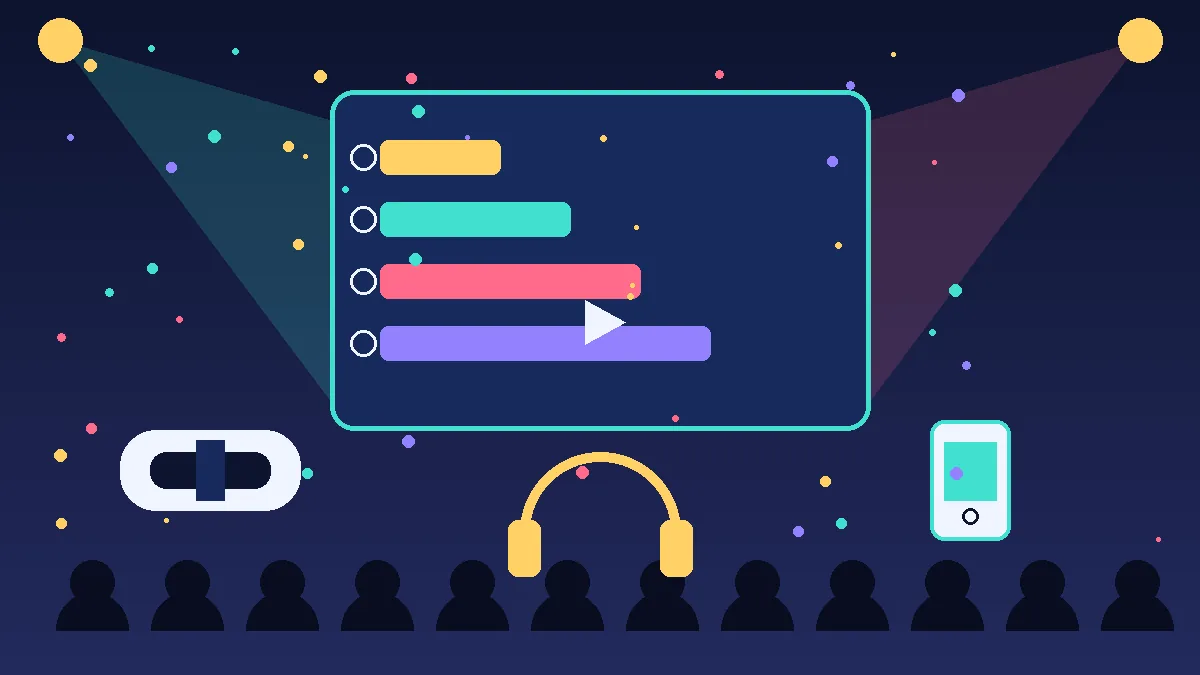
Interactive event entertainment works best when guests stop watching and start doing. Instead of a stage and a passive crowd, the format itself invites people to touch, choose, play, and respond. Consequently, the audience shapes the show in real time. Moreover, modern interactive event technology makes that participation easy to run at almost any scale. For example, a guest might scan a code, join a game, and see a personal result appear on a giant screen within seconds.
This guide focuses on formats and technology rather than personalities. Specifically, it explains what each format does, what a venue needs, and which events suit it best. In addition, it gives organisers a simple decision framework for matching formats to goals, audience size, budget band, and risk. Therefore, you can plan with confidence, even if you have never staged an interactive show before.
What actually makes entertainment interactive?
True interactivity always creates a two-way loop between the audience and the performance. Firstly, guests send an input, such as a vote, a gesture, or a movement. Secondly, the system responds visibly, so guests immediately see the effect of that input. As a result, people feel ownership of the moment, and that feeling drives stronger audience engagement ideas throughout the programme.
By contrast, a big screen alone does not create interactivity. Similarly, loud music alone does not create participation. Instead, the loop matters most, because the loop turns spectators into collaborators. Furthermore, the best formats make the loop obvious, fast, and rewarding. For instance, a leaderboard update, a colour change, or a story twist can all confirm that the audience truly changed something.
Augmented and virtual reality experiences
Augmented reality experiences that layer the real room
Guests see digital objects, characters, or information layered directly onto the real venue. Typically, guests view the effect through a phone, a tablet, or lightweight glasses. Therefore, guests keep contact with friends and the room while they explore the digital layer. For example, guests might point a phone at a product and watch it rotate, open, or change colour in front of them.
In practice, augmented reality experiences suit product launches, exhibitions, and brand zones very well. Moreover, it needs surprisingly little floor space, because guests carry the display with them. However, it depends heavily on reliable connectivity, good lighting, and charged devices. Consequently, organisers should test the exact room, the exact network, and the exact content before doors open. In addition, clear signage helps guests start quickly, so queues stay short and frustration stays low.
Virtual reality experiences that transport each guest
Virtual reality experiences replace the real view with a fully digital world inside a headset. As a result, each guest gets an intense, focused, and personal adventure. For instance, a guest might tour a distant building, pilot a simulated vehicle, or step inside a story scene. Meanwhile, the physical footprint stays compact, because the action happens inside the headset rather than across the floor.
Nevertheless, virtual reality creates a throughput challenge that organisers must respect. Each station serves one guest at a time, and staff must clean and reset headsets between turns. Therefore, this format suits smaller groups, premium zones, and ticketed time slots best. Furthermore, some guests feel discomfort in headsets, so organisers should always offer a comfortable alternative. Similarly, a nearby screen can show the guest view, so waiting friends still enjoy the spectacle.
Projection mapping and interactive LED displays
Projection mapping turns walls, stages, floors, or whole buildings into moving visual surfaces. Firstly, designers map content precisely onto the shape of the surface. Secondly, projectors play that content so the surface appears to bend, open, or come alive. Consequently, even a plain hall can feel like a forest, a city, or a product interior within seconds. Above all, the whole room shares the effect together, so the format scales beautifully for large crowds.
Interactive LED displays add touch, motion, and gesture control to that shared visual power. For example, guests might wave to scatter particles, touch a wall to reveal content, or step on a floor that ripples underfoot. Moreover, LED panels work in brighter rooms where projection can look washed out. However, both formats need careful planning for power, rigging, sightlines, and darkened sight areas. Therefore, organisers should survey the venue early and confirm ceiling height, surface material, and ambient light before they commit.
These screen-led formats also reward clear human guidance. Indeed, short instructions on screen help guests understand the interaction within seconds. Guides to making technology feel human make the same point for digital products, and the lesson transfers directly to live venues.
Event gamification with live leaderboards
Event gamification adds goals, points, challenges, and rewards to ordinary event activities. For instance, guests might earn points for visiting zones, answering questions, or completing a scavenger hunt. Meanwhile, live leaderboards display the rankings on main screens, so friendly competition builds across the whole event. As a result, guests explore more of the venue and meet more people along the way.
Gamification suits conferences, exhibitions, team events, and festivals particularly well. Moreover, it stretches limited budgets, because simple challenges can use phones that guests already own. However, organisers must design the game fairly, or the same confident guests will dominate every round. Therefore, varied challenge types help, because trivia, movement, creativity, and teamwork reward different strengths. In addition, short game cycles work better than one long contest, since late arrivals can still join and win something.
Scarcity and timely rewards can sharpen the fun, provided organisers use them honestly. Interestingly, the same urgency principles appear in demand-focused digital marketing, where limited windows encourage prompt action. Nevertheless, prizes should reward participation gracefully, so nobody feels punished for simply watching. Finally, a visible final celebration gives the game a satisfying ending that the whole room can share.
Real-time audience polling and phone-as-controller games
Real-time audience polling lets hundreds of guests vote, answer, or react together within seconds. Typically, guests join through a browser link or a QR code, so nobody needs to install an app. Subsequently, results appear live on the main screen, and presenters can respond to the room immediately. Consequently, sessions feel responsive rather than scripted, and quiet guests gain a voice without speaking publicly.
Phone-as-controller games extend the same idea into playful competition. For example, guests might steer a racer, answer a quiz, or control a character using only a phone browser. Moreover, these games scale from a small meeting room to a packed arena with the same basic setup. However, they depend completely on strong venue Wi-Fi or mobile signal, plus a tested backup connection. Therefore, organisers should run a full rehearsal with many devices connected at once, not just one test phone.
Polling also produces useful feedback that organisers can review afterwards. Likewise, game results show which moments held attention and which moments lost the room. In contrast, purely passive formats rarely reveal that insight so clearly. Above all, keep each question short and each round snappy, because pace protects energy better than complexity does.
Immersive theatre and interactive art installations
Immersive theatre that puts guests inside the story
The fixed seat disappears in this format, and guests move freely through the story world. Instead of watching from rows, guests follow performers, explore rooms, and sometimes influence the plot. As a result, every guest collects a slightly different version of the same show. For instance, one guest might follow a letter into a side room, while another stays for a confrontation in the main hall.
This format suits launches, cultural festivals, and premium hospitality events especially well. However, it needs generous space, careful crowd flow, and trained performers who can guide guests safely. Moreover, organisers must plan accessibility routes, quiet areas, and clear exit signs from the start. Therefore, immersive theatre rewards detailed rehearsal more than expensive scenery. In short, the human choreography carries the experience, and technology simply supports it where needed.
Interactive art installations that guests can touch and change
Interactive art installations invite guests to create, disturb, or complete an artwork themselves. For example, a wall might bloom with colour wherever guests touch it, or a sculpture might answer movement with light and sound. Consequently, guests linger longer, take photographs, and return with friends to try again. Furthermore, installations run continuously without a fixed show time, so they fill gaps between headline sessions gracefully.
Installations suit galleries, public spaces, exhibitions, and reception areas particularly well. In addition, they tolerate varied audience sizes, because guests self-pace around the piece. Nevertheless, organisers should protect delicate sensors, provide a staffed help point, and plan for enthusiastic crowds at peak times. Similarly, durable materials matter, because thousands of touches will test every surface across a long event day.
Silent disco and multi-sensory experiences
A silent disco gives every guest wireless headphones with selectable music channels. Firstly, guests choose a channel and control personal volume. Secondly, guests can switch channels instantly when another channel looks more fun. As a result, the room stays surprisingly quiet while the dance floor looks wonderfully chaotic. Moreover, neighbours and venue managers appreciate the low noise, so the format often suits noise-restricted venues and late-night slots.
Multi-sensory experiences go further by combining sound, light, scent, texture, taste, or gentle motion. For instance, a tasting station might pair each flavour with a matching colour, sound, and short story. Consequently, guests remember the moment through several senses at once, and the memory lasts longer. However, organisers must handle allergies, sensitivities, and personal boundaries with real care. Therefore, clear labels, opt-out routes, and trained hosts are essential parts of the format, not optional extras.
Smaller venues can still create rich atmosphere with modest tools. Indeed, a well-planned schedule matters as much as equipment, as any well-run entertainment schedule shows. Similarly, a festival-style programme of varied short experiences, like the mix at a community festival programme, keeps different guests happy across one shared site.
Hologram displays and other showpiece formats
Hologram displays create floating three-dimensional images that guests can view from several sides. Typically, the effect uses transparent film, specialised screens, or fan-style LED devices. As a result, a product, character, or presenter appears to hover in mid-air without a visible screen. For example, a launch event might reveal a product hologram before staff unveil the physical product beneath it.
Showpiece formats create strong first impressions, but they rarely sustain a whole event alone. Therefore, organisers should pair a hologram moment with a hands-on format nearby. Moreover, viewing angles, room darkness, and distance barriers decide whether the illusion convinces or disappoints. Consequently, a site test with the real content matters more than a polished sales video. In addition, a simple interactive screen beside the hologram gives curious guests something active to do after the reveal.
Formats at a glance
The table below summarises the core trade-offs, so organisers can compare formats quickly before detailed planning begins.
| Format | Best for | Space needs | Main risk |
|---|---|---|---|
| Augmented reality | Launches and exhibitions | Low, because guests use phones | Weak connectivity |
| Virtual reality | Premium zones and demos | Small, but staffed stations | Queues and headset comfort |
| Projection mapping | Large shared reveals | High, plus dark surfaces | Ambient light |
| Gamification | Conferences and festivals | Flexible across the venue | Unfair or confusing rules |
| Immersive theatre | Story-led premium events | High, with free movement | Crowd flow and safety |
| Silent disco | Late-night and restricted venues | Moderate dance space | Headphone logistics |
Overall, no single format wins every comparison. Instead, the right choice depends on the job the format must do inside your specific programme.
How to choose the right format for your event?
Start with the goal, not the gadget
Organisers should define one primary goal before they compare any technology. For example, a launch might need spectacle, while a conference might need networking, learning, or feedback. Therefore, write the goal as an audience outcome, such as guests meeting new contacts or understanding a product deeply. Subsequently, judge every format against that outcome, and drop formats that only look impressive.
Corporate event entertainment often mixes several goals across one day, so organisers should rank the goals honestly. Moreover, hybrid event entertainment adds remote guests, so organisers should check whether remote guests can vote, play, or watch meaningfully. Broader digital transformation in business programmes face the same discipline, because tools only help when they serve a clear purpose.
Match the format to audience size and flow
Audience size changes the maths behind every format. Firstly, estimate how many guests each station can serve per hour. Secondly, compare that capacity with your expected peak crowd, not your average crowd. As a result, you can spot queue risks early and add stations, time slots, or parallel activities. For instance, one headset station suits a reception corner, while a main-stage polling game suits the full room together.
Flow matters just as much as capacity. Indeed, guests should discover the activity easily, understand it quickly, and leave smoothly for the next guest. Furthermore, staff should watch the first busy period closely, because real behaviour reveals bottlenecks that plans often miss. Consequently, small adjustments to signage, entry points, or round length can rescue an otherwise strong format.
Weigh the budget band and the risk honestly
Budget bands work best in qualitative terms, because total cost depends on venue, duration, and staffing. Generally, phone-based polling and simple gamification sit in the lower band, since guests supply the devices. Meanwhile, installations, LED features, and multi-station reality zones sit in the middle band, because hardware and operators add cost. By contrast, large projection builds and fully staged immersive theatre sit in the higher band, because design, rehearsal, and technical crews dominate the budget.
Risk deserves the same honest treatment as budget. For example, connectivity failure can stop polling, while power failure can stop almost everything. Therefore, organisers should list the top failure modes for each format and prepare a calm fallback for each one. Moreover, a low-tech backup activity protects the programme, so guests still enjoy the slot when technology fails. Finally, rehearse the fallback briefly, because an untested backup often creates confusion instead of confidence.
Technology teams elsewhere follow the same update discipline. Similarly, firms that update trading technology carefully test changes before they trust them live, and event teams should copy that habit. Innovation suppliers also stress testing, as coverage of digital innovation providers regularly shows.
Venue, power, and connectivity checklist
A short technical checklist prevents most interactive failures. Firstly, confirm power capacity, socket positions, and safe cable routes with the venue team. Secondly, test connectivity under load, ideally with many devices joining the same activity at once. Thirdly, check light levels at the exact show time, because daylight can weaken projection and screen contrast badly. In addition, measure door widths and lift access, so large screens and scenic pieces can actually enter the room.
Sound needs equal attention, even for supposedly visual formats. For instance, neighbouring sessions might clash, or headphone systems might need a clear radio environment. Moreover, organisers should agree a single technical contact for show day, so problems reach one decision-maker quickly. Consequently, small faults get fixed quietly, and guests rarely notice that anything went wrong at all.
- Test the real content on the real equipment in the real room.
- Provide a staffed help point beside every complex format.
- Keep spare headsets, batteries, cables, and controllers within easy reach.
- Offer a non-digital alternative for guests who prefer one.
- Brief hosts to invite shy guests in, not merely to supervise.
Common mistakes that weaken interactive shows
Many weak events share the same avoidable mistakes. Firstly, organisers sometimes choose technology for novelty and only later invent a purpose for it. Secondly, teams sometimes hide instructions, so guests admire the equipment but never actually join in. As a result, participation stays low, and the format looks like an expensive decoration. Therefore, visible prompts, confident hosts, and a quick first win matter enormously.
Another common mistake involves measuring nothing afterwards. Instead, organisers should record participation counts, dwell time, queue length, and guest comments for each format. Subsequently, that evidence improves the next event and justifies the next budget conversation. Broader discussions of excellence in arts and entertainment marketing make a similar point about learning from each audience response. Above all, treat every event as a prototype, because formats improve fastest when teams review them honestly.
Frequently asked questions
Which format works best for a very large audience?
Shared formats usually work best for very large audiences. For example, projection mapping, main-screen polling, and room-wide games include everyone at the same moment. Moreover, these formats avoid the queue problem that single-user stations create. Therefore, large events should anchor the programme with shared formats and add smaller stations around the edges.
Which format suits a small budget best?
Phone-based formats usually suit a small budget best. Specifically, polling, quizzes, and simple gamification use devices that guests already carry. Consequently, organisers spend mainly on design, hosting, and prizes rather than hired hardware. In addition, a well-hosted interactive quiz can outperform an expensive but confusing installation.
How early should organisers test the technology?
Organisers should test as early as the venue allows. Ideally, teams run one technical test during planning and another full rehearsal close to show day. Furthermore, the rehearsal should include real content, real staff, and realistic guest numbers. As a result, teams discover faults while they still have time, options, and calm heads.
Can interactive formats work for remote guests too?
Yes, several formats work well for remote guests with thoughtful design. For instance, polling, quizzes, leaderboards, and streamed immersive moments translate naturally to remote viewing. However, headset and installation formats translate poorly, because remote guests cannot touch the physical setup. Therefore, hybrid programmes should design the remote experience deliberately, not treat it as an afterthought.
Bringing the formats together
Interactive event entertainment succeeds when format, venue, and audience fit together cleanly. In summary, shared screen formats create collective spectacle, phone formats create mass participation, and immersive formats create deep personal memory. Moreover, the strongest programmes often combine one format from each family across the day. Consequently, guests get variety, energy stays fresh, and no single failure can silence the whole event.
Start small if the territory feels new. For example, add one polled game and one hands-on installation to an otherwise familiar programme. Subsequently, measure the response, refine the hosting, and expand the mix at the next event. Ultimately, the technology matters less than the invitation behind it, because guests remember how an event made them feel involved, capable, and glad they joined in.