
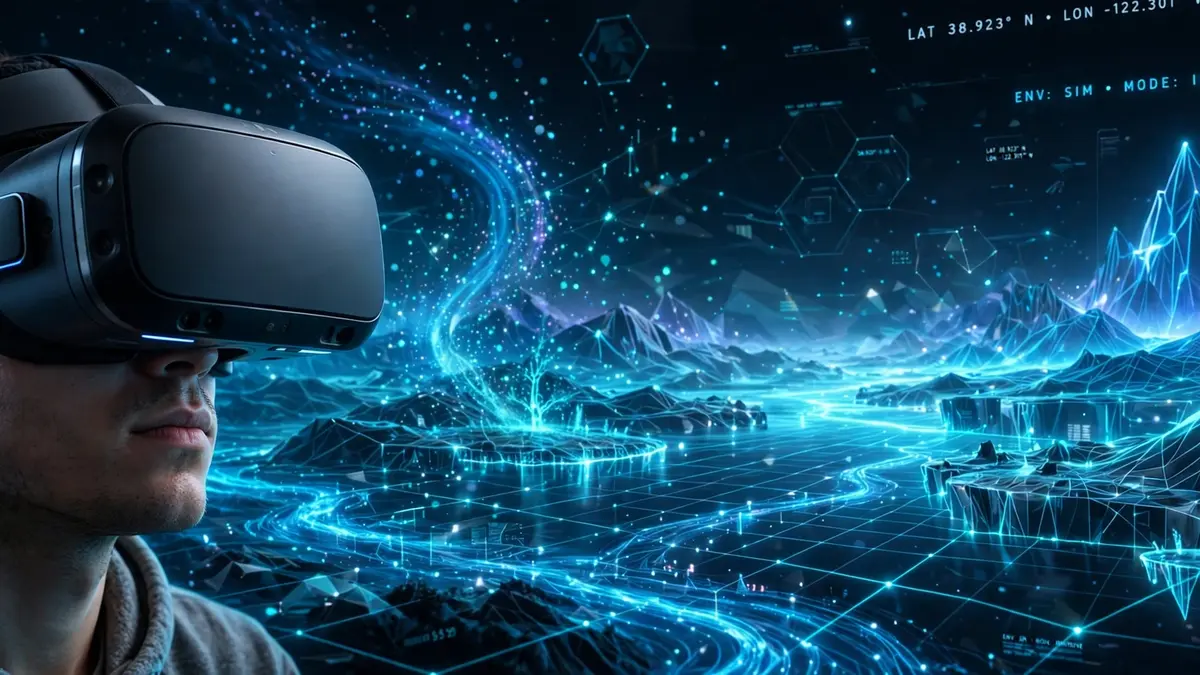
VR Is the Use of Computer Technology to Create a Simulated Environment
Virtual reality sounds futuristic, yet its classic definition is surprisingly plain. Put simply, VR is the use of computer technology to create a simulated environment. However, that single sentence hides a lot of clever engineering. Moreover, it explains why a headset can make a living room disappear. Consequently, understanding the definition is the best place to start.
Unlike a normal screen, a simulated environment surrounds you completely. For example, you can turn your head and the world turns with you. Additionally, you can walk, reach, and interact inside that world. As a result, your brain starts treating the simulation as a real place. Indeed, that feeling sits at the heart of every VR experience.
This guide unpacks the definition piece by piece for curious readers. Furthermore, it explains how headsets, tracking, and rendering actually work together. Meanwhile, it also covers hardware types, real uses, and honest limits. Finally, it offers sensible comfort advice for your first session.
What the Virtual Reality Definition Really Means
Each word in the definition earns its place, surprisingly. Firstly, the word virtual means something exists in effect, not physically. Secondly, the word reality points to a place you can perceive. Therefore, virtual reality is a place that feels real without existing physically. In other words, software builds the place and hardware delivers it.
Computers generate every part of that place in real time. For instance, they draw the scenery, light, and sound from scratch. Additionally, they update everything instantly whenever you move your head. Consequently, the world never feels frozen or pasted onto a screen. Instead, it behaves like a space that responds to you.
Crucially, a simulation differs from a video in one key way. A video shows the same fixed view to every viewer. In contrast, a simulation recalculates the view for your exact position. Moreover, it lets you affect events instead of merely watching them. Hence, interactivity turns simple viewing into genuine presence and agency.
Presence, Immersion, and Interactivity Explained
Designers talk about three linked ideas when they explain VR. Immersion describes how completely the technology surrounds your senses. Presence, meanwhile, is the personal feeling of actually being there. Additionally, interactivity means your actions change what happens next. Together, these three ideas separate VR from ordinary media.
Presence can feel startling the first time you experience it. For example, a virtual cliff edge can make your palms sweat. Similarly, a virtual ball thrown towards you triggers a real flinch. Nevertheless, you know intellectually that the room around you is safe. Thus, presence shows how strongly perception can override logic.
Good design protects presence rather than constantly reminding you of hardware. Therefore, developers hide loading pauses and keep movement smooth throughout. Furthermore, they match virtual motion carefully to your real motion. However, even small mismatches can break the illusion quite quickly. Consequently, comfort and believability depend on the same technical choices.
How Virtual Reality Technology Actually Works
Several systems must cooperate perfectly for the illusion to hold. Basically, sensors watch you, software builds a world, and displays show it. Moreover, this whole cycle repeats many times every single second. As a result, the virtual world feels stable and responsive. Below, each part of that cycle gets its own explanation.
The Head-Mounted Display and Stereoscopic Images
Most VR happens through a head-mounted display worn like chunky goggles. Inside, small screens sit very close to your eyes. Furthermore, lenses between the screens and your eyes reshape the image. Consequently, a flat picture gains convincing depth, scale, and distance. Indeed, the headset is the window into the simulated environment.
Depth comes from a trick called a stereoscopic display approach. Specifically, the system renders a slightly different image for each eye. Meanwhile, your brain merges those two views into one solid scene. Similarly, your brain does exactly this with real eyesight every day. Therefore, virtual objects appear to sit at believable distances.
Anyone who enjoys clear explanations will appreciate this elegant trick. Interestingly, writers on making technology feel human face a similar challenge daily. However, VR explains itself through experience rather than through words. Once you have worn a headset, the concept clicks instantly. Afterwards, written definitions simply confirm what your senses already learned.
Tracking Your Head, Hands, and Body
Tracking tells the system where you are and how you move. Modern headsets commonly use cameras and motion sensors for this job. For example, inside-out tracking watches the room from the headset itself. Alternatively, some systems use external sensors placed around the play space. Either way, your real movement drives the virtual camera directly.
Hand controllers extend that tracking beyond your head and gaze. Additionally, many controllers sense trigger pulls, thumb movements, and gestures. Moreover, some newer systems track bare hands with cameras alone. Consequently, you can point, grab, throw, and build inside VR. In short, tracking turns passive viewing into physical participation.
Developers usually describe movement freedom using degrees of freedom language. Simple systems track rotation only, such as turning and tilting. In contrast, fuller systems also track position across a room. Therefore, fuller tracking lets you crouch, lean, and walk naturally. Naturally, that extra freedom deepens both immersion and physical comfort.
Rendering, Field of View, and Latency
Rendering is the work of drawing each frame of the world. Powerful processors calculate lighting, textures, and geometry for both eyes. Furthermore, they must finish this work extremely quickly and consistently. Otherwise, the image stutters and the illusion falls apart immediately. Hence, smooth rendering matters more than visual extravagance alone.
Field of view describes how wide the visible virtual world appears. A wider field of view feels more like natural human vision. However, wider views demand more rendering work from the hardware. Consequently, designers balance width, sharpness, and performance for each headset. In practice, comfort often wins over chasing maximum specifications.
Latency is the delay between your movement and the updated image. Low latency keeps that delay so small you barely notice it. Conversely, high latency makes the world lag behind your head. As a result, high latency can quickly cause discomfort and disorientation. Therefore, engineers treat low latency as a non-negotiable design goal.
Spatial Audio and Haptic Feedback
Sound does far more in VR than simply accompany the pictures. Spatial audio places sounds at precise points around your head. For instance, a virtual bird chirps above and behind you. Moreover, the sound shifts naturally whenever you turn towards it. Thus, your ears confirm what your eyes already believe.
Touch, meanwhile, arrives through haptic feedback in the controllers. Small motors vibrate to suggest impacts, textures, or button presses. Additionally, specialised gloves and vests exist for more advanced setups. Nevertheless, most everyday VR relies on simple controller vibrations alone. Still, even a small buzz can sell a virtual collision.
The Main Types of VR Hardware
Not every headset connects to the world in the same way. Broadly, buyers meet three families of hardware, each with trade-offs. Tethered systems come first, because they defined high-end VR originally. Standalone systems follow, and they now suit most beginners best. Finally, mobile-based systems show the simplest and most limited approach.
Tethered VR Headsets
A tethered headset connects by cable to a computer or console. Because the external machine does the heavy rendering work, visuals shine. Furthermore, tethered setups often support large and demanding virtual worlds. However, the cable can tug, tangle, and limit your movement. Consequently, many players prefer wireless freedom despite slightly simpler graphics.
Standalone VR Headsets
A standalone VR headset carries its processor, battery, and screens onboard. Therefore, you simply charge it, put it on, and play anywhere. Additionally, setup takes minutes rather than an afternoon of wiring. Moreover, standalone devices suit classrooms, demonstrations, and casual travel well. As a result, they have become the most welcoming entry point.
Mobile and Room-Based Systems
Mobile VR historically used a smartphone slotted into a simple holder. Although cheap, that approach offered limited tracking and modest visuals. Meanwhile, room-based systems take the opposite, more elaborate route entirely. For example, projected rooms surround visitors with images on several walls. Institutions use such rooms for research, exhibitions, and group training.
Choosing between these families depends on budget, space, and patience. Similarly, travellers choose gear based on weight and convenience too. Indeed, anyone packing a versatile travel companion understands that trade-off instinctively. Ultimately, the best headset is the one you will actually use.
VR vs AR vs MR: What Is the Difference?
These three abbreviations cause endless confusion, so clear distinctions help. Virtual reality replaces your surroundings with a fully simulated environment. Augmented reality, in contrast, adds digital elements onto the real world. Meanwhile, mixed reality blends both approaches with deeper real-world awareness. Finally, extended reality works as an umbrella term for all three.
Consider a simple kitchen example to make the differences concrete. In VR, your real kitchen vanishes and a fantasy kitchen appears. With AR, labels and arrows float over your actual kitchen counters. Under MR, however, a virtual character can hide behind your real table. Therefore, the key difference is how digital content treats reality.
Each approach suits different jobs, rather than competing for one crown. For instance, VR excels at total focus and safe rehearsal. Conversely, AR excels at guidance while you keep working hands-free. Moreover, MR suits collaboration around shared virtual objects in real rooms. Consequently, smart organisations increasingly pick the tool per task.
Real-World Uses of Virtual Reality
Gaming made VR famous, yet serious uses now reach much further. Training, healthcare, education, and design all benefit from safe simulation. Additionally, virtual tourism opens places that many people cannot visit physically. Below, the biggest uses each deserve a closer look.
Gaming and Entertainment
Games remain the most visible and joyful use of VR. Players dodge, aim, and explore with their whole bodies engaged. Furthermore, horror, rhythm, and fitness games feel dramatically more intense inside. Meanwhile, live concerts and immersive films offer gentler entertainment options. Unsurprisingly, playful scenes borrow tricks from interactive event entertainment and stagecraft alike.
Training and Simulation
Simulation training is arguably VR at its most valuable and practical. Pilots, surgeons, and engineers can rehearse rare emergencies safely indoors. Moreover, trainees can repeat a scenario until the procedure becomes automatic. Consequently, mistakes happen in software instead of in real life. Additionally, instructors can measure performance precisely after every single attempt.
Workplaces also use VR for softer, everyday skills training. For example, staff can practise difficult customer conversations with virtual characters. Similarly, new employees can tour a facility before their first day. Therefore, confidence grows before real stakes and real people arrive. In short, rehearsal in VR lowers both risk and anxiety.
Healthcare and Therapy
Clinicians use VR carefully in several well-documented healthcare settings. Rehabilitation exercises, for instance, become more engaging inside playful environments. Additionally, some therapists use controlled virtual scenes for gradual exposure work. Moreover, distraction-based VR can help some patients during uncomfortable procedures. Naturally, such uses happen under professional guidance, not casual experimentation.
Medical education benefits from virtual anatomy and procedural practice too. Students can explore a beating heart at room size, repeatedly. Furthermore, they can revisit rare cases that real placements rarely provide. Anyone interested in wellbeing innovation may also enjoy reading about new approaches to wellness and care generally. However, VR supports clinicians rather than replacing their judgement.
Education and Virtual Classrooms
Classrooms gain something special when abstract ideas become explorable places. Students can stand inside a volcano or beside a historical landmark. Moreover, they can manipulate molecules and machines at impossible scales. Consequently, lessons feel like field trips rather than textbook chapters. Teachers, meanwhile, still guide discussion and check understanding as usual.
This experiential approach connects with long-standing ideas about active learning. Indeed, many educational theorists who transformed learning emphasised learning by doing. VR simply gives that principle a powerful new tool. Nevertheless, headsets work best alongside discussion, writing, and reflection afterwards. Otherwise, novelty can crowd out the actual lesson content.
Design, Architecture, and Virtual Tourism
Designers use VR to inspect creations at full scale before building. Architects, for example, walk clients through unbuilt homes and offices. Additionally, product teams can spot awkward proportions and cramped layouts early. As a result, costly physical prototypes and late redesigns become rarer. Similarly, city planners can test how new spaces feel.
Virtual tourism brings the same idea to travel lovers everywhere. You can preview a museum, hotel, or landmark before booking anything. For instance, a virtual wander through places to visit in London in summer helps planning enormously. Likewise, exploring places to visit in Japan off the beaten path inspires real itineraries. Ultimately, virtual trips complement travel rather than replacing it.
The Limits and Challenges of VR
Honest guides should admit that VR still has real shortcomings. Hardware costs, physical comfort, and content quality all remain concerns. Moreover, headsets can feel heavy during longer sessions for some users. Additionally, many people simply lack a safe, clear play space. Therefore, enthusiasm works best alongside realistic expectations and planning.
Visual quality also involves compromises, despite steady year-on-year improvements. Screens sit close to the eyes, so sharpness demands are unusually high. Furthermore, wider views and faster rendering consume more battery power. Consequently, standalone headsets balance beauty against heat and battery life. In contrast, tethered systems trade that problem for cable inconvenience.
Social and practical questions deserve attention alongside the technical ones. For example, wearing a headset isolates you from people nearby physically. Additionally, shared devices raise simple hygiene and fitting considerations between users. Moreover, accessibility features still vary widely between platforms and applications. Hence, inclusive design remains important unfinished work for the industry.
Motion Sickness, Eye Strain, and Safer Sessions
Some people feel unwell in VR, and that reaction has a name. Cybersickness describes nausea, dizziness, or discomfort during simulated motion experiences. Basically, it happens when your eyes report movement but your body feels still. Consequently, your senses disagree, and that conflict can feel unpleasant. Fortunately, sensible habits reduce the risk for most users significantly.
Firstly, start with short sessions and calm, stationary experiences initially. Secondly, stop immediately if you feel dizzy, nauseous, or unusually warm. Additionally, take proper breaks and let your eyes rest afterwards. Moreover, a well-fitted headset and correct lens spacing improve comfort noticeably. In short, pushing through discomfort never improves a session.
Movement style inside the experience matters just as much, surprisingly. Smooth artificial acceleration can trouble sensitive users more than teleport-style movement. Therefore, many applications offer comfort settings such as vignettes and snap turning. Furthermore, a stable frame rate protects comfort throughout every session. So, always explore the comfort menu before starting something new.
Children need extra care, supervision, and common sense around headsets. Manufacturers publish age guidance for their devices, so follow it carefully. Additionally, an adult should supervise sessions and watch for discomfort. Moreover, clear the play area of furniture, pets, and trip hazards beforehand. Finally, anyone with relevant medical concerns should seek professional advice first.
How Can You Choose Your First VR Experience?
Beginners often overthink equipment when content should guide the decision. Firstly, decide what you actually want to do inside VR. Games, fitness, films, and virtual travel each favour different setups. Secondly, measure your available space and check your existing devices. Therefore, your shortlist will shrink quickly and sensibly on its own.
Comfort features deserve as much attention as screen specifications, honestly. For example, adjustable straps and lens spacing affect longer sessions greatly. Additionally, consider whether you prefer total wireless freedom or maximum power. Moreover, check that the content library includes experiences you genuinely want. Consequently, you will avoid buying impressive hardware that gathers dust.
Trying a demonstration first is wise whenever a retailer offers one. A short demo reveals your personal comfort level almost immediately. Furthermore, staff can adjust the fit and explain boundaries properly. Meanwhile, borrowing a headset from a friend can serve the same purpose. Ultimately, five real minutes teach more than fifty specification sheets.
Where Is Virtual Reality Heading Next?
The direction of travel is clear, even without bold statistical predictions. Headsets are gradually becoming lighter, sharper, and easier to set up. Additionally, eye tracking and hand tracking are becoming more common features. Moreover, passthrough cameras increasingly blur the line between VR and MR. As a result, one device may soon handle several reality styles gracefully.
Software, meanwhile, keeps finding new serious purposes beyond entertainment. Remote collaboration, therapy support, and specialist training continue to mature steadily. Furthermore, creators are learning which stories truly need full immersion. However, thoughtful content matters more than novelty for lasting value. Consequently, the best experiences will feel purposeful rather than merely impressive.
Yet the core definition will probably survive every hardware generation unchanged. Computers will still create simulated environments, and people will still step inside. Moreover, the sense of presence will still define the whole experience. Therefore, learning the fundamentals now will serve you for years. Indeed, the definition is the technology’s most durable feature.
Frequently Asked Questions About Virtual Reality
What is the simplest definition of virtual reality?
Simply put, VR is the use of computer technology to create a simulated environment. Moreover, that environment responds to your movements in real time. Therefore, you feel present inside it rather than watching from outside.
Do you need a powerful computer for VR?
Not necessarily, because standalone headsets carry their own processors onboard. However, tethered headsets do need a capable computer or console. Consequently, your chosen hardware type decides the computing requirement completely.
What is the difference between VR and AR?
VR replaces your surroundings entirely with a computer-generated environment. In contrast, AR adds digital information over your real surroundings. Additionally, MR blends both approaches with awareness of real objects. Therefore, replacement versus overlay is the distinction to remember.
Can VR make you feel sick?
Yes, some users experience cybersickness, especially during fast simulated movement. However, short sessions, comfort settings, and regular breaks usually help considerably. Moreover, stopping at the first sign of discomfort is always wise. Consequently, most people find a comfortable way to enjoy VR.
Is virtual reality only useful for games?
No, games are only the most visible use of the technology. Training, healthcare, education, design, and virtual tourism all use VR seriously. Furthermore, new professional uses continue to appear as hardware improves. Indeed, simulation may ultimately matter more than entertainment overall.
The Definition That Opens a New World
So, that famous sentence deserves its reputation as a perfect summary. VR is the use of computer technology to create a simulated environment. Behind it, however, sit displays, tracking, rendering, sound, and careful design. Moreover, those parts together create presence, the feeling of being somewhere else. Consequently, a simple definition can hide a remarkable machine.
Whether you play, learn, train, or travel virtually, the fundamentals stay constant. Start gently, choose comfortable experiences, and respect the technology’s current limits. Additionally, explore widely, because VR rewards curiosity more than expensive equipment. Finally, remember that the simulated environment exists to serve a human purpose. Indeed, that human purpose is what makes virtual reality genuinely real.