
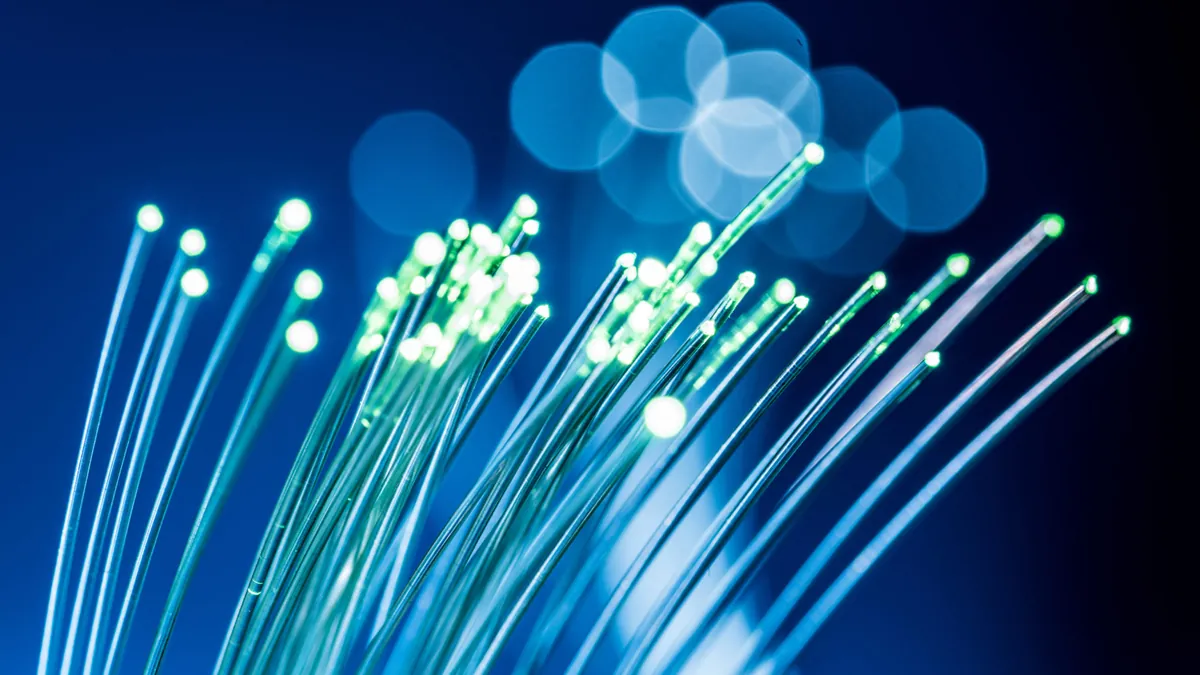
Tap a video link, and a picture starts to play. Behind that simple moment, a long chain of equipment has already done its work. So, what is fibre broadband in plain terms? It is a home internet connection that carries information as pulses of light through thin strands of glass. Moreover, those strands replace the copper wires that older connections relied on for the final part of the journey. As a result, the connection can carry a great deal of information without the same kind of electrical weakness. This guide follows one request from an exchange to a home, and it explains each step in ordinary language. This guide explains how fibre broadband works, step by step, from the exchange to your home.
Nothing here depends on one provider, one country, or one brand of equipment. In addition, no special knowledge is assumed. You only need a picture of light, glass, and a small box in the home. Firstly, we look at the glass strand itself. Secondly, we follow the signal along its route. Finally, we compare fibre with copper, and we answer the questions people ask most often. By the end, the whole system should feel less mysterious, even if you never see the cables themselves.
What Is Fibre Broadband?
So, what is fibre broadband, and how does it differ from an ordinary internet connection? At its simplest, it is broadband delivered through optical fibre rather than through copper wire alone. The word broadband simply means a connection that can carry a large amount of data at once. Meanwhile, the word fibre points to the material that does the carrying. In this case, that material is glass, drawn into strands so thin that many can fit inside a single cable. However, those strands are not fragile in the way a drinking glass is fragile. They sit inside protective layers, and they are bundled together for strength and safety.
People often ask how does fibre optic internet work when they first hear about light carrying data. The short answer is that a device turns data into light pulses, and another device turns those pulses back into data. For example, a short flash can stand for one kind of signal, while a gap or a different pattern can stand for another. As a result, a stream of flashes becomes a stream of information. In addition, the flashes travel inside the glass strand, not through open air. That enclosed path is what keeps the signal organised over long distances.
Does Light Travel Through the Air Into Your Home?
One common misunderstanding is worth clearing up early. Fibre broadband does not mean that light travels through the air into your home. Instead, the light stays inside a cable for the whole fibre part of the route. Similarly, it does not mean that your devices receive light directly. Your phone, laptop, or television still uses its usual connection inside the home. The fibre part ends at a small box, and that box hands the connection on in a form your home equipment can use. Therefore, the magic is in the journey, not in a beam of light crossing your living room.
How Does a Fibre Optic Cable Work?
Think of a fibre optic cable explained in the simplest possible way: it is a protected bundle of glass threads that guide light from one end to the other. Each thread is far thinner than a human hair in its light-carrying part, yet the cable as a whole can feel sturdy in your hand. That contrast surprises many people. However, it makes sense once you see the layers. The delicate glass sits at the centre, while stronger materials around it absorb bumps, bends, and pressure. Consequently, the cable can be buried, strung overhead, or run through ducts without the glass itself taking the strain.
A single cable often holds many strands, and each strand can carry its own stream of light. For example, one strand might carry data in one direction, while a partner strand carries data back the other way. In addition, a busy route between towns may hold hundreds of strands inside one outer sheath. As a result, one trench or one overhead line can serve a large number of homes and businesses. Meanwhile, spare strands can stay unused until demand grows. That spare capacity is one reason fibre routes can be upgraded without digging everything up again.
Why Is the Glass Inside the Cable So Clear?
Makers purify fibre glass specially so that it stays extremely clear. Ordinary window glass would absorb too much light over a long run, and the signal would fade quickly. Fibre glass, by contrast, lets light travel a long way before it weakens. However, no cable is perfect. A tiny amount of light still escapes or fades along the way. Therefore, long routes include equipment that refreshes the signal at intervals. In short, the cable provides the path, and the equipment along the path keeps the signal strong enough to read.
What Are the Core and Cladding Inside a Fibre Optic Cable?
To understand the cable properly, you need two words: core and cladding. This is a fibre optic cable core and cladding explained without engineering jargon. The core is the thin glass centre where the light actually travels. Around it sits the cladding, which is another layer of glass with slightly different properties. For example, you can picture the core as a narrow corridor, and the cladding as the walls that keep a bouncing ball inside that corridor. In addition, a protective coating sits outside the cladding, and further layers add strength and weather protection. As a result, the light-carrying part is only a small fraction of the whole cable.
Why does the cladding matter so much? The answer lies in how light behaves when it meets a boundary between two materials. When light inside the core strikes the cladding at a shallow angle, it does not pass through. Instead, it reflects back into the core. Meanwhile, the same thing happens again at the next boundary, and then again. Consequently, the light zigzags forward along the core, trapped inside by repeated reflections. That trapping effect is the whole trick of fibre optics. Without the cladding, light would simply leak out of the side of the strand.
Can Light Follow a Bend in the Cable?
There is a useful everyday comparison here. Shine a torch into a long, clear tube of water at a shallow angle, and much of the light stays inside the water rather than escaping through the sides. Similarly, a fibre strand guides light along its length even when the cable bends around a corner. However, the bend must not be too sharp. A very tight kink can let light escape or even damage the strand. Therefore, installers take care with bend radius, which is simply the gentlest curve the cable can safely handle. In other words, the cable is flexible, but it is not meant to be folded like a rope.
What Is Total Internal Reflection in Fibre Optics?
Engineers give the trapping effect a formal name: total internal reflection fibre optics. The name sounds technical, but the idea is simple. “Total” means that, under the right conditions, essentially all the light reflects rather than passing through. “Internal” means that the reflection happens inside the strand, at its inner boundary. “Reflection” means that the light bounces back, much like light bouncing off a mirror. As a result, the phrase describes exactly what happens, even though it sounds forbidding at first. Once you break it into three words, it loses its mystery.
Angle is the key condition. Light that strikes the boundary head-on will pass through into the cladding and be lost. Light that strikes at a shallow, glancing angle will reflect instead. For example, think of skimming a stone across water. A stone thrown straight down sinks at once. A stone skimmed at a low angle bounces along the surface. Similarly, light entering the fibre at the right angle keeps bouncing forward. However, light entering at the wrong angle escapes quickly. Therefore, the equipment that launches light into the fibre must aim it carefully. That aiming is part of the design, not something the user needs to adjust.
Why Can a Fibre Strand Bend Without Losing Light?
This reflection trick also explains why the strand can bend. As long as each bounce still meets the boundary at a shallow angle, the light follows the curve. In addition, the reflections happen extremely quickly, so the signal keeps moving forward without obvious delay. Meanwhile, the outside world does not interfere with the light inside, because the light never leaves the core. Consequently, the signal arrives in the same pattern it started with, apart from gradual weakening over distance. That faithful arrival is what makes the whole system useful for carrying data.
How Does Light Carry Internet Data?
So, how light carries internet data is the next natural question. All digital information, whether it is a video, a message, or a web page, is stored and sent as patterns of two states. Writers who explain how technical ideas are turned into plain language often start with those two states, because everything digital rests on them. For example, one state can be shown by a flash of light, and the other by darkness. In addition, the flashes can be grouped into longer patterns that stand for letters, numbers, pictures, and sound. As a result, a rapid sequence of flashes and gaps becomes a complete message. The receiver only needs to know the code that turns the pattern back into data.
Speed matters here, but not in the way people sometimes imagine. The light itself moves extremely fast inside the glass. However, the real advantage is how quickly the flashes can change. A laser or a light-emitting device can switch on and off an enormous number of times each second. Therefore, a huge number of patterns can be sent in a very short time. Meanwhile, different colours of light can sometimes be used side by side, like separate lanes on a road. Each colour carries its own stream, and the receiver separates them at the far end. Consequently, one strand can carry far more than a single simple stream.
Is Light Like a Morse Code?
It helps to picture the process as a kind of Morse code made of light. A human tapping a lamp on and off could send a slow message across a room. Fibre equipment does the same thing, but with flashes far too fast for an eye to follow. In addition, the system checks its own work. The system organises the data into packets, which are small, labelled chunks with a destination address. If a packet is damaged, it can be sent again. As a result, the video or page you receive is complete, even though it travelled as many separate flashes. In other words, light provides the speed, while the packet system provides the reliability.
What Is the Journey From the Exchange to Your Home?
Now we can follow a single request along its route. This is the fibre broadband connection journey exchange to home in its simplest form. Imagine you tap a video link. Your request first travels inside your home to the small box that connects your home to the outside network. From there, it enters the fibre cable that serves your street or building. In addition, it passes through local joining points where smaller cables gather into larger ones. As a result, your tiny request joins a much larger stream of traffic heading toward the wider network. None of this requires any action from you.
The next major stop is often called an exchange, or a central office. Think of it as a large building where many local cables meet the wider network. Equipment there sorts traffic and sends each request toward its destination, whether that is a video server, a website, or another person. For example, your video request might travel from the exchange across a regional fibre route, then across a larger backbone route, until it reaches the server holding the video. Meanwhile, the video data starts its return journey along a similar path. Consequently, the exchange is less like a single room and more like a busy sorting hub for an entire area.
How Does the Signal Find Its Way Back to You?
On the way back, the video data retraces the local part of the route. It travels through the larger cables, then through the smaller cable serving your street, and finally into your home. At each joining point, equipment may split the signal or direct it toward the right branch. However, equipment manages that splitting, not chance. A splitter can share one incoming strand among several homes, with each home receiving only its own addressed packets. Therefore, your neighbour’s video does not appear on your screen, even though you may share part of the same route. In short, the journey is shared in places and private in effect.
What Do FTTP and FTTC Mean?
Two abbreviations cause a great deal of confusion, so they deserve a clear section. This is FTTP vs FTTC explained in plain language, without sales talk. The letters FT stand for “fibre to”, and the final letters tell you how far the fibre goes. FTTP means fibre all the way to the premises, while FTTC means fibre only as far as a street cabinet. In addition, the difference between them is not a minor detail. It decides what carries the signal for the last part of the journey, and that last part shapes the experience. As a result, two homes with “fibre” in the name can have quite different connections.
Let us start with the fibre to the premises meaning. “Premises” is simply a general word for a building, whether it is a house, a flat, or a business. In a full-fibre setup, the glass strand runs all the way into that building. There is no copper wire in the final stretch. For example, the cable may enter through a wall, run to a small internal box, and end at the optical terminal described in the next section. Meanwhile, the whole route from the exchange to the building uses light. Consequently, the connection keeps the strengths of fibre for its entire length.
What Happens in a Cabinet-Based Connection?
Now consider the fibre to the cabinet meaning. A cabinet is a street-side box that serves a group of nearby homes. In this setup, fibre runs from the exchange to the cabinet, but the final stretch from the cabinet to each home uses copper wire. That copper stretch is usually an older telephone line. However, it may still work well for many everyday uses, especially when the cabinet is close to the home. The trade-off is that the copper part brings back the limits of copper, which we explore below. Therefore, the name tells you the truth if you read it carefully: fibre reaches the cabinet, not the home.
Why do both versions exist? The answer is practical. Running fibre to every single building takes time, labour, and digging. Running fibre to a cabinet, by contrast, can reuse the copper lines already in the ground. As a result, a cabinet-based rollout can reach many homes sooner. Meanwhile, a full-fibre rollout takes longer but removes the copper weakness entirely. In other words, the cabinet version is a stepping stone, while the premises version is the complete fibre route. Neither name is a trick, but only one of them means fibre all the way to your door.
What Is an Optical Network Terminal (ONT)?
So, what is an optical network terminal ONT, and why does a full-fibre home need one? The ONT is a small box, usually mounted on a wall inside the home, where the fibre cable ends. Its job is translation. It takes the light pulses arriving through the fibre and turns them into electrical signals that ordinary home equipment can use. In addition, it does the reverse job for outgoing data, turning electrical signals back into light pulses. As a result, the ONT is the bridge between the light-based outside network and the electrical world inside your home. Without it, the two sides could not understand each other.
People often confuse the ONT with a router, but the two boxes do different jobs. The ONT handles the fibre connection itself. The router, by contrast, takes that connection and shares it among the devices in your home. For example, you might see a fibre cable entering the ONT, and a short network cable running from the ONT to the router. Meanwhile, the router then serves your laptop, television, and other devices. Consequently, a full-fibre home often has two boxes instead of one. That extra box is not clutter for its own sake. It marks the point where light becomes usable home internet.
Why Does the ONT Need Power?
The ONT also needs power, which surprises some people. Older copper telephone lines could carry a small amount of power themselves, so a basic phone could work during a power cut. Fibre, by contrast, carries light, not electrical power. Therefore, the ONT stops working if the home loses power, unless it has a battery backup. In addition, the ONT usually has lights that show whether the fibre signal is present and whether it is connected to the router. Those lights help an installer or a support agent check the connection quickly. In short, the ONT is small, quiet, and easy to overlook, but it is essential to the whole system.
How Is Fibre Broadband Different From Copper Broadband?
This is fibre broadband vs copper broadband in its simplest form. Copper broadband sends data as electrical signals along metal wires. Fibre broadband sends data as light pulses along glass strands. That single difference explains most of the practical differences that follow. For example, electrical signals in copper weaken more quickly and are more easily disturbed by nearby electrical equipment. Light inside a glass strand, by contrast, is not disturbed by electrical noise in the same way. As a result, fibre holds its signal together better over longer runs. Meanwhile, copper remains useful, but it works best over shorter distances.
Copper also faces a physical limit that fibre avoids. An electrical signal travelling along a wire loses strength through resistance, which is the wire’s natural opposition to electric current. In addition, different frequencies of signal fade at different rates, which can blur the pattern. Therefore, copper connections often need careful tuning and shorter runs to stay clear. Fibre, on the other hand, guides light with reflections, and the light pattern stays readable over a much longer stretch. Consequently, fibre routes can span greater distances before the signal needs refreshing. That difference is not about marketing. It follows directly from the physics of light and electricity.
Can Copper Pick Up Interference From Nearby Equipment?
There is one more difference worth noting. Copper wires can pick up interference from power lines, motors, and other electrical sources. That interference adds noise to the signal, and noise makes the data harder to read. Fibre strands, by contrast, are made of glass, which does not conduct electricity. As a result, electrical noise from nearby equipment does not enter the light signal in the same way. Meanwhile, fibre is also less affected by damp in the same manner as exposed copper, because the signal travels as light inside sealed glass. In other words, fibre is not invincible, but it avoids the main weaknesses that trouble copper.
Why Is Fibre Broadband More Reliable Than Copper?
People often ask why fibre broadband is more reliable than copper, and the answer brings together everything above. Reliability here means that the connection keeps working steadily, without the signal degrading or dropping for unclear reasons. Firstly, the cladding protects the light signal inside the core. Secondly, electrical interference from nearby equipment does not touch that signal. Thirdly, it weakens more slowly over distance, so it stays readable for longer. As a result, the connection has fewer weak points along its route. That does not mean it can never fail. It means that everyday electrical noise is far less likely to be the cause.
Physical damage is a different matter, and it deserves honesty. Digging work can still cut a fibre cable, a severe bend can still damage it, and a connector can still suffer harm. Similarly, the ONT can lose power, and the router can develop a fault. However, those are clear, fixable problems, not a slow fading of the signal. In addition, strong outer layers protect fibre cables, and installers usually bury them or run them through ducts for safety. Therefore, most failures come from visible damage or power loss, rather than from mysterious interference. In other words, fibre is more reliable in daily use, even though it is not immune to accidents.
Does Weather Affect Fibre and Copper Differently?
Weather provides a useful illustration. Rain, heat, and cold can affect copper lines, especially older ones with worn insulation. Water getting into a copper joint, for example, can change its electrical behaviour. Fibre, by contrast, carries its signal as light inside sealed glass, so damp does not alter the signal in the same way. Meanwhile, the protective layers still need to stay intact, and no cable enjoys flooding or crushing. Consequently, the reliability advantage is real but not absolute. It comes from removing electrical weakness, not from making the cable indestructible. That distinction keeps expectations honest.
Does Distance Affect Fibre Broadband?
So, does distance affect fibre broadband at all? The honest answer is yes, but much less than it affects copper. Every signal weakens as it travels, and light in glass is no exception. A tiny fraction of light escapes or is absorbed along the way. However, the weakening happens so gradually that a fibre signal can travel a long way before it needs help. For example, a fibre route between towns may run for a considerable distance before reaching equipment that refreshes the signal. In addition, that refreshing equipment can restore the pattern cleanly, because the light signal is still readable when it arrives. As a result, long fibre routes are practical in a way that long copper routes are not.
The distance that matters most is different in the two kinds of connection. In a full-fibre home connection, the fibre runs all the way to the building, so the final stretch does not introduce a copper weakness. In a cabinet-based connection, by contrast, the copper stretch from the cabinet to the home is the part where distance matters most. A home very close to its cabinet will usually fare better than a home far from it. Therefore, two neighbours on the same cabinet system can have different experiences, purely because of the length of that final copper run. Meanwhile, the fibre part up to the cabinet stays strong for both of them. That contrast explains many everyday puzzles about “fibre” speeds.
Is Distance the Only Factor That Shapes a Connection?
It is also worth separating signal weakening from sharing. A connection can feel slower at busy times because many people are using the same wider network, not because the light has travelled too far. Similarly, a fault at a single joining point can affect one street while the next street stays fine. As a result, distance is only one factor among several. In short, fibre greatly reduces the distance problem, but it does not remove every other factor that shapes a connection. That is why people describe a full-fibre route as more consistent, rather than as perfect at any distance.
How Do Upload and Download Work on Fibre Broadband?
This is fibre broadband upload and download explained in plain terms. Download means data travelling toward your home, while upload means data travelling away from it. For example, watching a video is mostly downloading, because the video data flows to your screen. Sending a video to a friend, by contrast, is mostly uploading, because your data flows outward. In addition, most everyday activities use both directions at once. A video call, for instance, downloads the other person’s picture while uploading yours. As a result, both directions matter, even if you notice one more than the other.
On a fibre connection, the two directions usually travel on separate strands, or on separate colours of light within the same strand. That separation keeps the two streams from colliding. Meanwhile, the equipment at each end knows which stream is which, because the packets carry direction and address labels. Therefore, your upload does not block your download, and the two can proceed at the same time. In a cabinet-based connection, however, the copper final stretch may treat the two directions less evenly. Consequently, uploads on such a connection often feel more limited than downloads. That limit comes from the copper part, not from the fibre part.
Why Do Uploads Matter So Much Now?
Why do uploads matter so much now? The answer lies in how people use the internet today. Sharing photos, joining video calls, backing up files, and working from home all send data outward. Businesses moving services online depend on the same two-way flow, because staff and customers exchange data in both directions all day. Similarly, online shops serving local customers need uploads for orders, messages, and product updates, not only downloads for browsing. As a result, a connection that handles uploads well feels more balanced for modern use. Fibre helps here because its light-based design supports a strong return path.
Organisations feel the same point at a larger scale. Information technology teams planning capacity must allow for traffic in both directions, and financial technology services rely on steady two-way exchanges for everyday transactions. In addition, trading platforms updating their technology need timely data in both directions, while industrial technology firms increasingly connect machines and offices over shared networks. Therefore, upload strength is not a niche concern. It is part of what makes a connection feel complete, whether the user is a household or a workplace.
What Should You Take Away From All of This?
The whole system can now be summed up in a few lines. Data becomes light. Light bounces inside a glass core, guided by its cladding. That light travels from an exchange, through joining points and street cables, to a small terminal box in the home. From there, ordinary home equipment takes over. In addition, the route may be full fibre all the way, or fibre to a cabinet with copper for the last stretch. As a result, the name on a package tells only part of the story. The route itself tells the rest.
If you remember one image, make it the bouncing light. A pulse enters the core at a shallow angle, reflects from the cladding, and keeps bouncing forward until it reaches its destination. Meanwhile, the pattern of pulses carries the data, and the equipment at each end translates between light and electricity. Consequently, the internet feels instant, even though a real physical journey has taken place. That journey is the quiet achievement of fibre broadband. It turns a flash of light in glass into a video, a message, or a page on your screen.