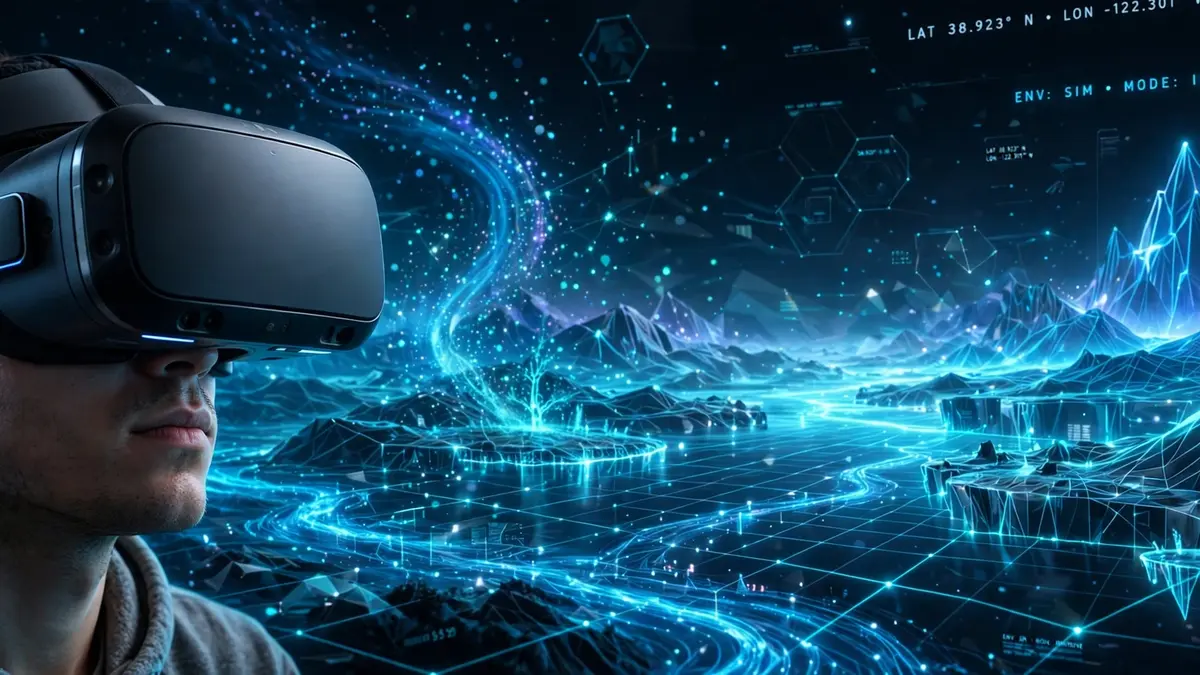
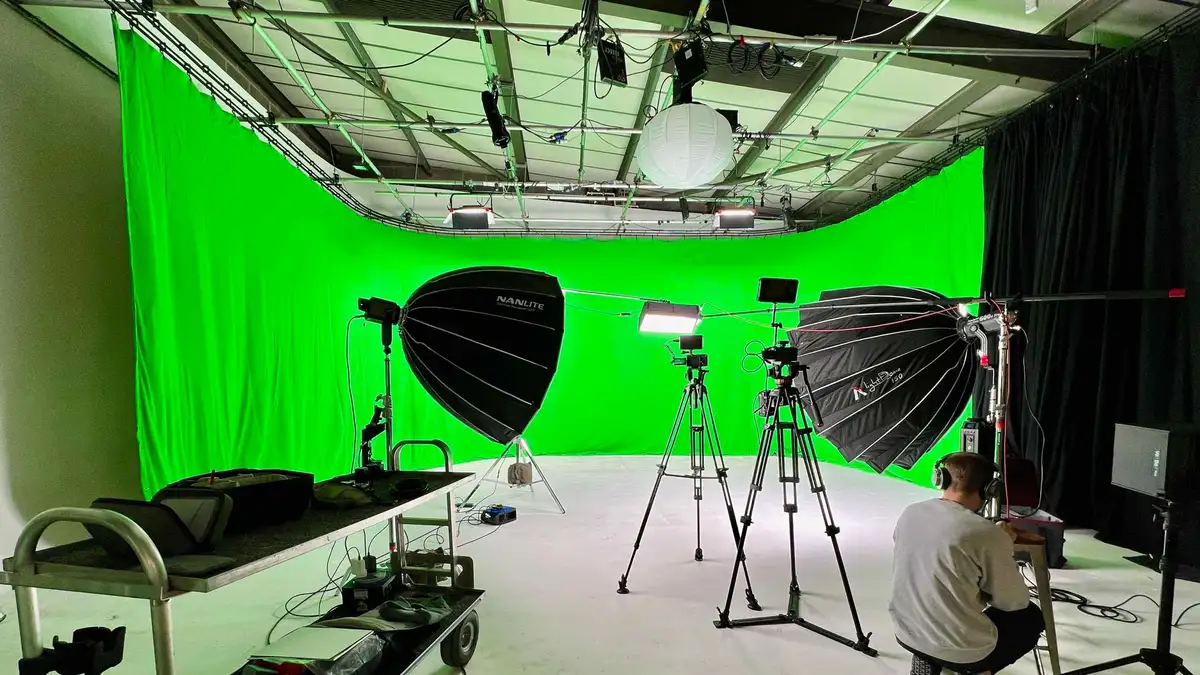
Picture a scene where an actor stands on a quiet rooftop, yet the finished film shows a stormy cliff above a burning city. Nothing on that rooftop looked like the final shot. In fact, the actor may have faced a plain green wall, with only tape marks on the floor for guidance. Somehow, months later, audiences see a complete world around that same performance. This guide explains how CGI works in movies, from the first plan to the last polished frame. It follows one imaginary shot from start to finish, so every technical step has a clear place in the story.
Many viewers use CGI as a catch-all word for anything unreal on screen. However, filmmakers split the work into smaller jobs, and each job has its own team. One team builds digital shapes. Another team records movement. A third team blends everything into the filmed footage. Consequently, a single shot can pass through dozens of skilled hands before it reaches cinemas. Meanwhile, the actor’s performance stays at the centre of the process, because even the wildest digital world needs a human reaction to feel real.
What Is CGI in Movies?
CGI stands for computer-generated imagery. In simple terms, it means pictures created or changed with computers rather than filmed directly with a camera. A digital creature, a futuristic city, or a storm that never happened can all count as CGI. Similarly, a small fix can count too, such as removing a modern building from a historical street scene. Therefore, CGI covers both huge spectacles and quiet corrections that audiences never notice.
Artists build these images inside specialised software. They shape objects in three dimensions, paint surfaces onto them, and set lights that behave like real studio lights. Afterwards, computers calculate how each frame should look, pixel by pixel. This calculation stage is slow and demanding, which explains why effects work often continues long after filming ends. For example, a shot lasting only five seconds can involve weeks of detailed work across several departments.
At its heart, then, CGI answers a practical question. How can filmmakers show something too dangerous, too costly, too tiny, or too impossible to film for real? Sometimes the answer is a real set or a clever camera trick. At other times, however, only a digital image will do. Understanding that choice helps viewers spot why some scenes feel magical while others feel oddly flat.
How Is CGI Different From VFX?
The CGI vs VFX difference explained simply is this: CGI is one tool, while VFX is the whole job. VFX stands for visual effects. It covers every method used to create or change images that cannot be captured cleanly on camera. CGI sits inside that larger field. In addition, VFX includes practical tricks, camera work, and digital blending. So every piece of CGI in a film counts as VFX, but not every VFX shot is CGI.
Consider a scene where rain must fall on a sunny day. Filmmakers could spray water from machines on set, which counts as a practical effect. Alternatively, artists could add digital rain later, which counts as CGI. In many modern films, both approaches combine in one shot. For instance, real water might soak the actors, while digital rain extends the storm into the distance. As a result, the line between real and digital becomes hard to see, and that is usually the point.
Viewers often hear the two terms swapped in casual conversation. Nevertheless, professionals keep them apart for a good reason. Budgets, teams, and schedules all depend on knowing which method a shot needs. A fully digital creature needs modellers and animators. By contrast, a clever on-set illusion might need only a camera operator and a well-built prop. Naming the job correctly, therefore, keeps a huge production organised.
How Are Visual Effects Made Step by Step?
How visual effects are made step by step becomes much clearer with a single example. Imagine a short scene: a young traveller steps onto a stone balcony, looks out, and sees a large winged creature land on a tower nearby. No such creature exists. Moreover, the balcony itself stands inside a studio, far from any tower. Follow this one shot through the pipeline, and the whole craft starts to make sense.
Planning comes first, long before cameras roll. Directors and effects supervisors break the script into individual shots and decide what each shot needs. Some shots need no effects at all. Others need a full digital build. Meanwhile, artists draw storyboards and create rough animated previews called previs. These previews test camera angles, timing, and scale before anyone spends money on a set. Consequently, problems get fixed on paper instead of on an expensive shooting day.
Filming comes next, with careful preparation for the later digital work. Actors perform against a green screen, while crew members record exact details about the camera, lenses, and lighting. Small tracking markers help computers follow the camera movement later. In addition, a stand-in object may show actors where to look, so their eyes line up with a creature that will appear months later. Without these details, the digital layer would drift, float, or sit at the wrong size.
Digital building follows, often while other scenes still film. Artists model the creature, paint its skin, and build a skeleton for movement. Animators then shape its flight and landing, frame by frame. Separately, effects artists simulate wind, dust, and loose feathers. Finally, compositors blend the creature into the filmed balcony shot, matching light, colour, and camera movement. Each stage checks the one before it, because a small error early on can spoil the finished image.
How Does the VFX Pipeline Work From Pre-Production to Post-Production?
The VFX pipeline pre-production post-production journey splits into three broad phases. Pre-production covers planning, design, and testing. Production covers filming with effects in mind. Post-production covers building, animating, and blending the digital material. Studios pass shots between departments like a relay, with supervisors checking quality at every handover. Therefore, no single artist owns a shot from start to finish.
During pre-production, concept artists sketch the creature and its world. Their drawings settle questions of size, colour, and mood. Technical teams then test difficult ideas early, such as how wings should fold or how light should fall on scales. For example, a short test shot can reveal that a design looks too heavy or too smooth. Fixing that design now costs far less than rebuilding it after animation has begun.
Production adds another layer of discipline. Camera teams log lens settings and movement so digital artists can rebuild the same camera inside software. Lighting teams measure the real light on set, since digital objects must share that light to look grounded. Meanwhile, data wranglers collect reference photographs of the set from many angles. These photographs later help artists match textures, colours, and reflections with great accuracy.
Post-production is where the shot finally comes together. Modelling, texturing, animation, lighting, and compositing all happen here, often in parallel. Supervisors review versions daily and send notes back for changes. A wing might need stronger shadows. A landing might need more dust. Through this slow loop of review and revision, a rough digital shape gradually becomes a believable part of the filmed world.
How Are Digital Worlds and Characters Built?
Building a digital creature starts with shape, not colour or movement. This process shows how CGI characters are created, since shape, surface, skeleton, and movement each build on the last. Artists create a three-dimensional model, much like a sculptor shaping clay, except the clay lives inside software. They begin with simple forms and add detail step by step. Muscles, claws, and facial features emerge through careful adjustment. In addition, reference material guides the work, from animal anatomy to photographs of real textures.
Texturing comes after modelling. Artists paint or apply surface detail onto the model, deciding how skin, metal, or cloth should look. Rough skin scatters light differently from polished armour. Similarly, worn cloth shows fraying that new cloth lacks. These surface choices matter enormously, because audiences judge realism largely through light and texture rather than shape alone.
Rigging follows texturing. A rig works like a digital skeleton with controls for joints, muscles, and facial expressions. Animators use those controls to pose the creature, much as a puppeteer uses strings and rods. Without a good rig, even a beautiful model would move stiffly. With a strong rig, however, small movements become possible, from a flick of an ear to a slow blink.
Animation brings the rig to life. Animators set key poses at important moments, then shape the movement between them. Timing, weight, and balance all matter here. A heavy creature should land with force and settle slowly. A light creature, by contrast, might bounce or flutter. This section covers 3D modelling texturing rigging rendering explained in plain language, yet the real skill lies in patience: tiny adjustments, reviewed again and again, create movement that feels alive.
How Does Motion Capture Work in Movies?
Motion capture in movies explained simply means recording real movement and applying it to a digital character. Performers wear suits covered in small markers. Cameras around a studio track those markers in three dimensions. Computers then turn the tracked points into movement data. Animators apply that data to a digital rig, so the creature copies the performer’s timing, posture, and gestures.
Facial capture works on a similar idea, using cameras placed close to the performer’s face. Small movements around the eyes and mouth carry enormous meaning. A slight frown can change a whole scene. Therefore, facial data often receives extra care, with animators refining the raw capture by hand. Raw capture alone can look mechanical, while thoughtful refinement adds intention and emotion.
Motion capture does not replace acting or animation. Instead, it gives animators a strong starting point rooted in a real performance. Directors can still ask for bigger, smaller, or stranger movement than a human body allows. For example, a creature might leap further than any performer could, while keeping the performer’s rhythm and weight. As a result, the final movement feels both human and impossible at once.
What Is Rendering in CGI?
What is rendering in CGI? Rendering means calculating the final image from all the digital material: models, textures, lights, cameras, and movement. Computers work out how light bounces, how shadows fall, and how surfaces reflect their surroundings. Each frame becomes a finished picture only after this calculation. A single second of film contains many frames, so rendering multiplies quickly into a huge task.
Studios handle this workload with render farms, which are large groups of computers working together. One machine might render one frame while another renders the next. Even with that help, complex scenes take a long time. Fur, water, smoke, and detailed reflections all add calculation work. Consequently, artists often render rough preview versions first, saving full-quality rendering for shots that are nearly final.
Lighting plays a starring role during rendering. Artists place digital lights to match the filmed scene, then adjust their colour, softness, and direction. A creature lit from the wrong side would instantly betray itself. Similarly, a creature without proper shadows would seem to float above the ground. Careful lighting, therefore, does much of the quiet work that makes digital images believable.
How Is CGI Combined With Live Action?
How CGI is combined with live action depends on a process called compositing. Compositors layer digital material over filmed footage, adjusting colour, focus, and movement until the layers read as one image. They match grain, which is the fine texture of filmed footage. They match lens blur, so distant objects soften correctly. In addition, they add atmospheric haze, dust, or light spill where the scene demands it.
Green screen compositing explained simply starts with colour separation. Filmmakers film actors against a bright green backdrop. Software then removes that green colour, leaving the actors on a transparent layer. Artists place a digital background behind them. Green works well because it appears rarely in skin tones or common costumes. However, green can spill onto actors, tinting hair or shiny surfaces, so artists clean those edges carefully.
Tracking ties the layers together. If the filmed camera moves, the digital background must move in exactly the same way. Software follows the tracking markers recorded on set and rebuilds the camera path. Without accurate tracking, the background would slide against the actors. With accurate tracking, by contrast, audiences forget that two separate worlds ever existed.
Colour grading finishes the blend. Artists adjust the whole shot so filmed and digital parts share the same warmth, contrast, and mood. A sunny filmed foreground cannot sit beside a cold digital background without clashing. Small colour shifts, therefore, make a large difference. This final polish is subtle, yet audiences sense it immediately when it is missing.
How Are Fire, Water and Smoke Created With CGI?
Simulation effects fire water smoke CGI work differently from modelling and animation. Artists do not shape every flame or droplet by hand. Instead, they set up rules that mimic physics, then let computers calculate the result. They define wind, heat, gravity, and surface tension. The software then simulates how fire rises, how water splashes, or how smoke drifts. Animators guide the simulation with targets and controls, shaping chaos into a useful shot.
Fire needs fuel, heat, and movement to look right. Artists control flame shape, brightness, and how quickly embers fade. Water needs weight and surface behaviour. A small splash behaves differently from a huge wave. Smoke needs softness and slow spreading. Each material, therefore, demands its own settings and testing. A simulation that looks perfect in one shot might fail in another, because scale and lighting change everything.
Simulations also interact with their surroundings. Wind should push smoke across the frame. Heat should distort the air above flames. Water should wet surfaces it touches. Artists add these secondary details to sell the illusion. Without them, effects can look clean but strangely separate from the scene. With them, however, even a brief burst of fire can feel dangerous and real.
When Should Filmmakers Use Practical Effects Instead of CGI?
Practical effects vs CGI is not a contest with one winner. Practical effects mean real objects, sets, makeup, and machines built for the camera. A physical explosion, a handmade costume, or a real miniature can give actors something tangible to react to. Light bounces off real surfaces naturally. Dust settles in real ways. For many close-up moments, that physical truth remains hard to beat.
CGI wins in a different set of cases. Impossible creatures, vast landscapes, and dangerous stunts often suit digital work better. Digital tools also allow easy changes late in production. A director can resize a creature or change a sky colour without rebuilding a set. Practical work, by contrast, can be costly to redo once a set has been struck. Each method, therefore, suits different problems.
Most modern productions blend the two. A real set might cover the foreground, while CGI extends the background. A physical costume might carry the close-ups, while a digital version handles wide shots and stunts. Actors benefit too, because they can touch, lean on, or react to something real. Audiences benefit as well, since the blend hides the seams of both methods. Live interactive event entertainment shows a similar blend of live performance and staged spectacle, though film keeps its tricks hidden rather than displaying them.
Why Does CGI Sometimes Look Fake?
Why CGI sometimes looks fake has several common causes, and most trace back to light, weight, or time. Light causes the most obvious failures. A digital object lit differently from its surroundings stands out at once. Shadows that fall the wrong way, reflections that ignore nearby objects, or skin that glows too evenly all break the illusion. Human eyes may not name the fault, yet they register that something feels wrong.
Weight causes another frequent problem. Digital creatures sometimes move too smoothly, as if gravity barely touches them. Real bodies hesitate, strain, and recover. Digital bodies, by contrast, can glide from pose to pose without effort. Animators fight this smoothness by adding small imperfections: a stumble, a shift of weight, or a pause before action. Without those details, movement can look polished but lifeless.
Time pressure causes a third problem. Effects schedules can be extremely tight, especially near release. Artists may lack time for final polish, such as edge cleanup or colour matching. Rushed shots, therefore, show seams that finished shots hide. Viewers sometimes blame the technology itself. In truth, however, the same tools produce both stunning and weak results, depending on time, planning, and care.
What Is the Uncanny Valley in CGI?
Uncanny valley in CGI explained simply describes a strange dip in comfort. As a digital human becomes more realistic, audiences usually like it more. At a certain point, though, near-realism can feel unsettling instead. Small faults in eyes, skin, or mouth movement stand out sharply. The character looks almost human, yet not quite, and that gap disturbs viewers more than a clearly cartoonish character would.
Eyes cause much of the trouble. Real eyes move with tiny, constant adjustments. They focus, blink, and react to light. Digital eyes can miss those micro-movements, leaving a stare that feels empty. Skin causes similar trouble. Real skin shows pores, slight colour variation, and subtle movement over muscle. Overly smooth digital skin, by contrast, can look like plastic or wax.
Filmmakers handle this valley in several ways. Some choose stylised designs that avoid near-realism altogether. Others invest heavily in facial capture and skin detail. A third group keeps digital humans brief, distant, or partly in shadow. Each choice trades realism against risk. Interestingly, the valley also explains why digital creatures often succeed more easily: audiences accept a winged beast with less scrutiny than a digital human face.
How Has CGI Changed Over Time?
History of CGI in film milestones stretches across several decades, from simple experiments to everyday production tools. Early computer graphics appeared in the 1970s and 1980s as short sequences and wireframe shapes. Computers of that era held far less power than a modern phone. Nevertheless, those early images proved an important point: computers could create pictures that cameras could not capture.
Later decades brought fuller digital characters and environments. Motion capture matured. Rendering improved. Software became more accessible to smaller studios. As a result, effects stopped belonging only to the largest productions. Mid-sized films could now build digital worlds too. Meanwhile, audiences grew sharper, having learned to spot both brilliant and weak effects.
Recent years have added real-time tools and virtual production. Filmmakers can now display digital backgrounds on large screens behind actors during filming. Actors see the world they inhabit, rather than imagining it against green cloth. Lighting from the screen also falls naturally onto costumes and faces. This shift brings effects work earlier into production, although traditional post-production compositing remains essential for final polish. Cinema today spans everything from the latest Irish movies to vast effects-driven productions, and digital tools now touch almost every corner of that range.
How Can Viewers Spot Good and Bad Effects?
Good effects share a quiet quality: they serve the story without demanding attention. Viewers remember the scene, not the technique. Light matches. Movement carries weight. Edges blend cleanly. Backgrounds sit at believable depths. In addition, effects support emotion, whether wonder, fear, or awe. When technique disappears into story, the pipeline has done its job.
Weak effects, by contrast, pull attention toward themselves. Audiences notice floating feet, sliding backgrounds, or faces that barely move. They sense wrong scale when a creature towers or shrinks inconsistently. They notice clean digital surfaces beside gritty filmed footage. These faults rarely come from one artist alone. Instead, they usually signal rushed schedules, unclear planning, or mismatched lighting between set and studio.
Watching with this knowledge changes the viewing experience. A storm scene becomes a study in simulation and compositing. A creature landing becomes a lesson in rigging and animation. Even a simple background replacement reveals tracking and colour work. Entertainment collections of all kinds reward closer viewing in the same way, since craft hides inside finished work until someone points it out. Once viewers know the steps, however, they can enjoy both the story and the skill behind it.
Effects work also connects with the wider world of arts, entertainment and music. A film score can heighten a digital spectacle, while strong sound design can ground it. The broader arts, entertainment and music landscape shows how many crafts must align for a production to succeed. Visual effects alone cannot save a weak story. Combined with strong writing, performance, and sound, however, they can expand what stories filmmakers dare to tell.
What Does the Future Hold for Movie Effects?
Real-time rendering already changes how directors plan shots. Artists can adjust digital worlds live on set and see results immediately. Machine-assisted tools can speed up repetitive jobs, such as removing unwanted objects or tracking camera movement. These tools do not remove human judgement, though. Artists still decide what looks right, what serves the story, and what audiences should feel.
Virtual production will likely keep growing. Large screens, game-engine backgrounds, and live camera tracking let filmmakers capture final-looking images during filming. This approach reduces some post-production work, although complex creatures and simulations still need traditional pipelines. Similarly, smaller studios gain access to tools once reserved for huge productions. As a result, inventive effects may appear in unexpected places, from independent films to online entertainment guides that explain the craft to new audiences.
At the same time, practical craft shows no sign of vanishing. Physical sets, costumes, and makeup still give actors and cameras something real to work with. The future, therefore, looks like deeper blending rather than total replacement. Digital tools will grow faster and cheaper. Physical craft will keep providing truth, texture, and happy accidents. Together, they will let filmmakers build worlds that feel both impossible and believable.
For viewers, the best approach stays simple. Enjoy the story first. Afterwards, look again and ask how each impossible image reached the screen. Somewhere behind that image sits a chain of planning, performance, modelling, animation, rendering, and compositing. Thrilling entertainment experiences often depend on that hidden chain, even when audiences never notice it. Knowing the steps turns a fleeting spectacle into a lasting appreciation of film craft.
Frequently Asked Questions About CGI in Movies?
What Is CGI in Movies in One Sentence?
CGI in movies means images created or altered with computers, from digital creatures and worlds to small fixes that audiences never notice.
Is CGI the Same as VFX?
No, CGI is one type of visual effect, while VFX covers every method used to create or change images that cameras cannot capture cleanly on their own.
How Long Does a Single Effects Shot Take?
Timing varies widely, since a simple background replacement may take days, while a complex creature shot can pass through many departments over weeks or months.
Why Do Actors Film in Front of Green Screens?
Green screens let artists remove the background cleanly and replace it with a digital world, while actors still perform with real light, costumes, and camera movement.
Do Filmmakers Still Use Practical Effects?
Yes, filmmakers still build real sets, props, costumes, and machines, and they often combine those physical elements with CGI in the same shot.
Why Do Some Digital Humans Look Strange?
Digital humans can fall into the uncanny valley, where near-realistic faces highlight tiny faults in eyes, skin, or mouth movement that audiences notice at once.
Can Small Studios Create Good CGI?
Yes, modern software and real-time tools have lowered barriers, although strong planning, lighting, and animation skill still matter more than software alone.
What Skills Do Visual Effects Artists Need?
Effects artists combine art, observation, and technical skill, including drawing, anatomy, lighting, movement, and patience for detailed revision.
How Does Music Relate to Visual Effects?
Music and effects both shape emotion in post-production, and a strong musical legacy reminds viewers how sound and image have always worked together in cinema. Technology writing about making technology feel human makes a similar point: clear explanation helps audiences appreciate complex craft instead of fearing it.